Run combat order with the Initiative Tracker
Add every combatant with their initiative and HP, step through turns and rounds, and share a live read-only view with your table.
Game MastersUpdated October 11, 2026
- ~5 min
- New to it
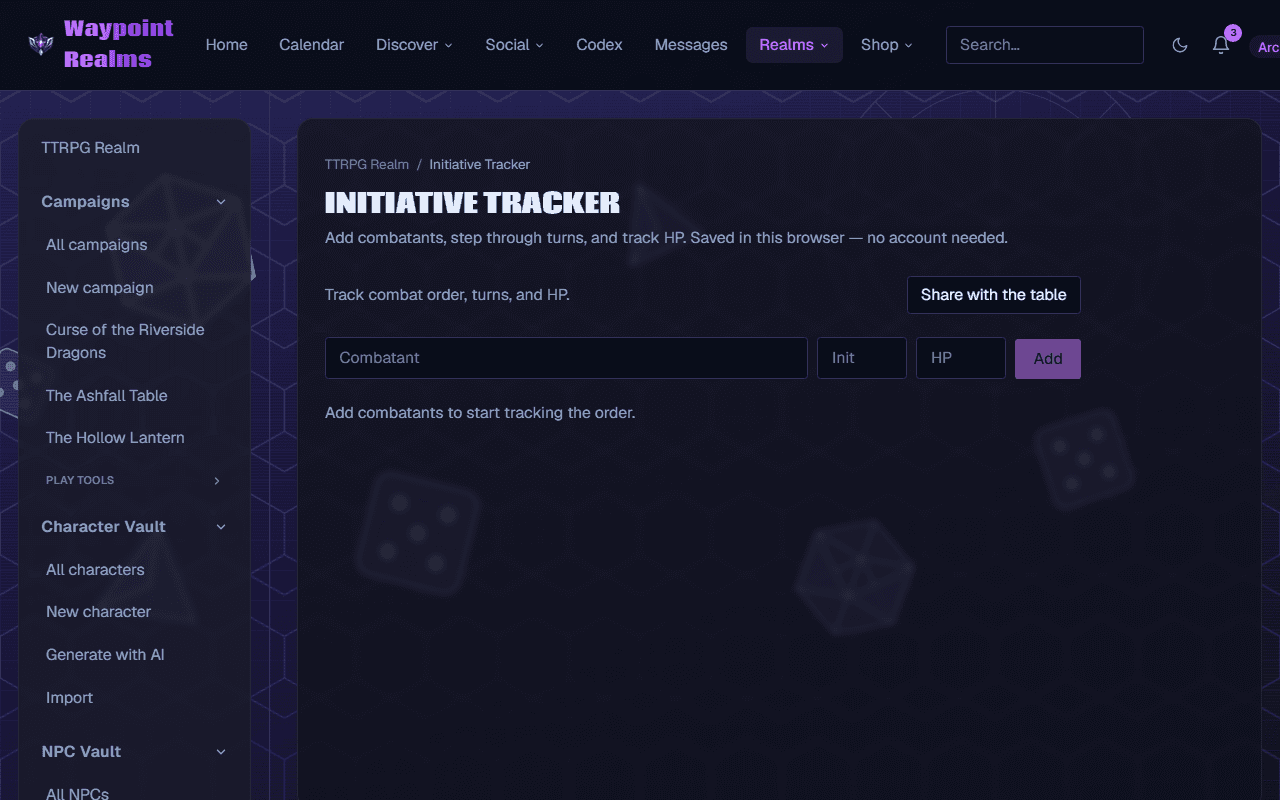
The Initiative Tracker keeps the fight in order: who acts next, what round it is, and how much HP everyone has left. Share it and your players follow along on their own screens.
Before you start
- Everyone's initiative rolls (the Dice Roller will do).
- Keep the tab open for the whole fight: nothing is saved, and reloading the page clears the order.
Track the fight
Open the tracker
In the TTRPG Realm, choose Initiative Tracker. In a campaign, it is under Play tools in the rail and opens as a panel over the campaign.Add the combatants
For each one, type a name in Combatant, their roll in Init and, if you want to track it, their HP, then press Add. The list sorts itself, highest initiative first.Step through turns
Press Next turn → to move to the next combatant; after the last one, the Round number goes up. ← Prev steps back if you moved on too soon.Track damage and healing
Use − and + beside a combatant to change their HP one point at a time (only combatants added with HP have them). Remove a combatant who drops or flees with the ✕ at the end of their row.End the fight
Press Reset to clear everyone and start the next fight at round 1.
Check it worked
The current combatant is highlighted and marked ▶, the round counter climbs as you go, and HP changes show straight away.
Share it with your table
Start sharing
Press Share with the table. The bar changes to Sharing with the table.Send the link
Press Copy invite link (it reads Link copied ✓) and send it to your players, or open it on a screen at the table.
Check it worked
Players who open the link see Shared table view — the GM controls the order and HP. Updates live. Every turn and HP change you make appears for them.
Players sign in to follow
The shared view lives in the TTRPG Realm, so players need to be signed in to Waypoint to open it. It stays live while your tab is open.
If something's off
- Add won't press
- A combatant needs a name and an initiative number. HP is optional.
- Everything vanished
- The page was reloaded or closed. The tracker keeps nothing between visits; add the combatants again.
- Players see “Waiting for the GM to add combatants…”
- The shared view is empty until you add someone. If you have, check they opened the link you copied after pressing Share with the table.
Still stuck? Browse all help or contact us. To report someone or something, use the report action on the relevant profile, post, or session — it sends us the context automatically.