Learn a technique with Build Tutorials and learning paths
Find how-to videos by topic and level, follow a learning path in order, tick off what you've done, and get to the tutorials for the piece you're making.
- ~5 min
- New to it
- Part 1 of 2
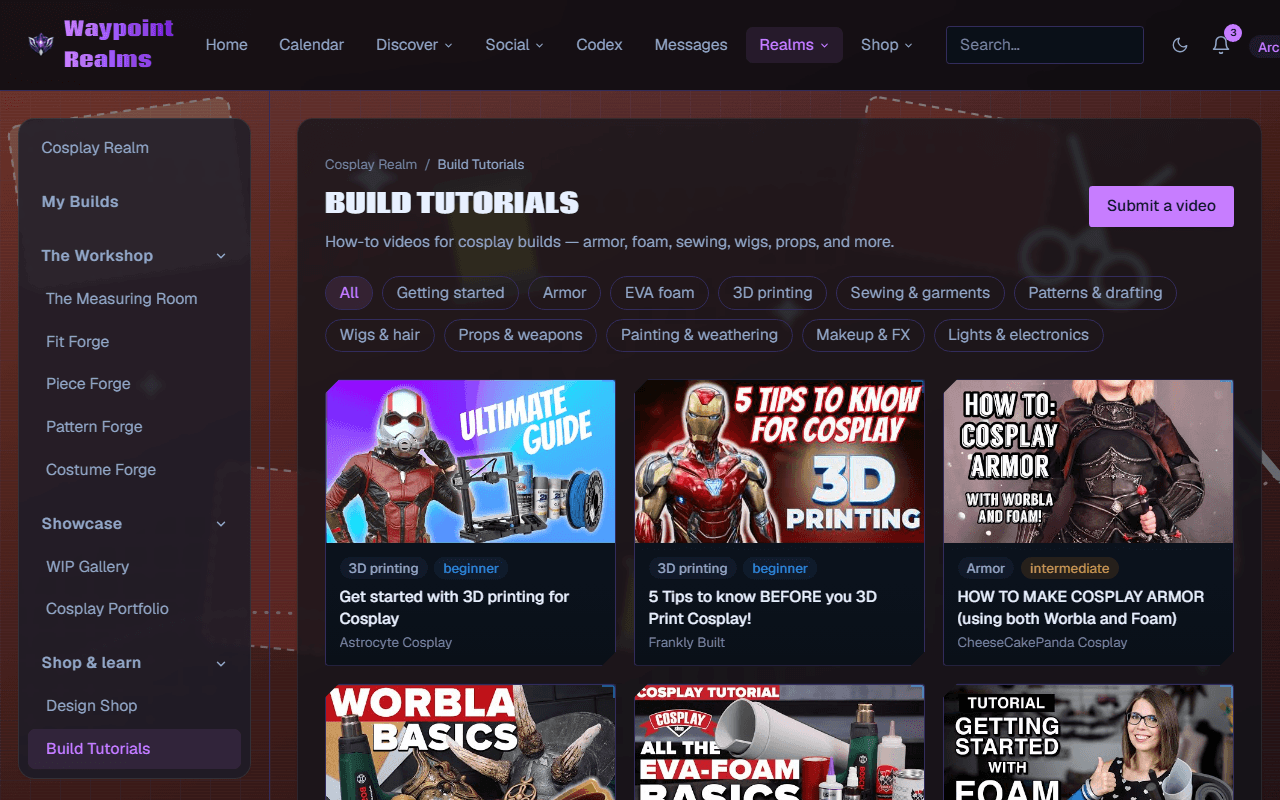
Build Tutorials collects how-to videos for cosplay builds, chosen by members and checked by our team before they appear. Learning paths put them in an order to take them in.
Before you start
- Nothing — browsing and watching are free.
Find a tutorial
Open Build Tutorials
In the Cosplay Realm's rail, choose Build Tutorials (under Shop & learn).Pick a topic
Tap a topic: Getting started, Armor, EVA foam, 3D printing, Sewing & garments, Patterns & drafting, Wigs & hair, Props & weapons, Painting & weathering, Makeup & FX, or Lights & electronics. All shows everything.Pick a level
Any level, Beginner, Intermediate or Advanced.Or search
Type in Search titles, descriptions and tags and press Search.Watch it
Press a card. The video plays on the page; the player only loads when you press play.Tick it off
Under the video, tick I've done this one. It counts on every learning path the tutorial is part of.
Check it worked
Follow a learning path
Open Learning paths
Press Learning paths at the top of Build Tutorials. Each path shows its skill, how many tutorials it has, and your progress — Not started, a count such as 2 of 5 done, or Complete.Work through it
Open a path. Next up: names the tutorial to take next; tick Done beside each as you finish it.
Check it worked
Get tutorials for what you're making
You don't have to search. On a build in My Builds, each piece lists tutorials for the skills it takes; Piece Forge and Pattern Forge offer New to this? Tutorials on … under their tools. Those links open Build Tutorials filtered to that skill — Tutorials that teach … — and Show every skill clears it.
If something's off
- “No tutorials match these filters yet”
- Try another topic or level, or press Clear filters.
- “This video can't be played here.”
- The video's owner doesn't allow it to play on other sites. Watch it on YouTube or Vimeo instead.
- I can't find the live build-alongs
- Live build-alongs show at the top only when no filter or search is on.
Still stuck? Browse all help or contact us. To report someone or something, use the report action on the relevant profile, post, or session — it sends us the context automatically.