Your calendar
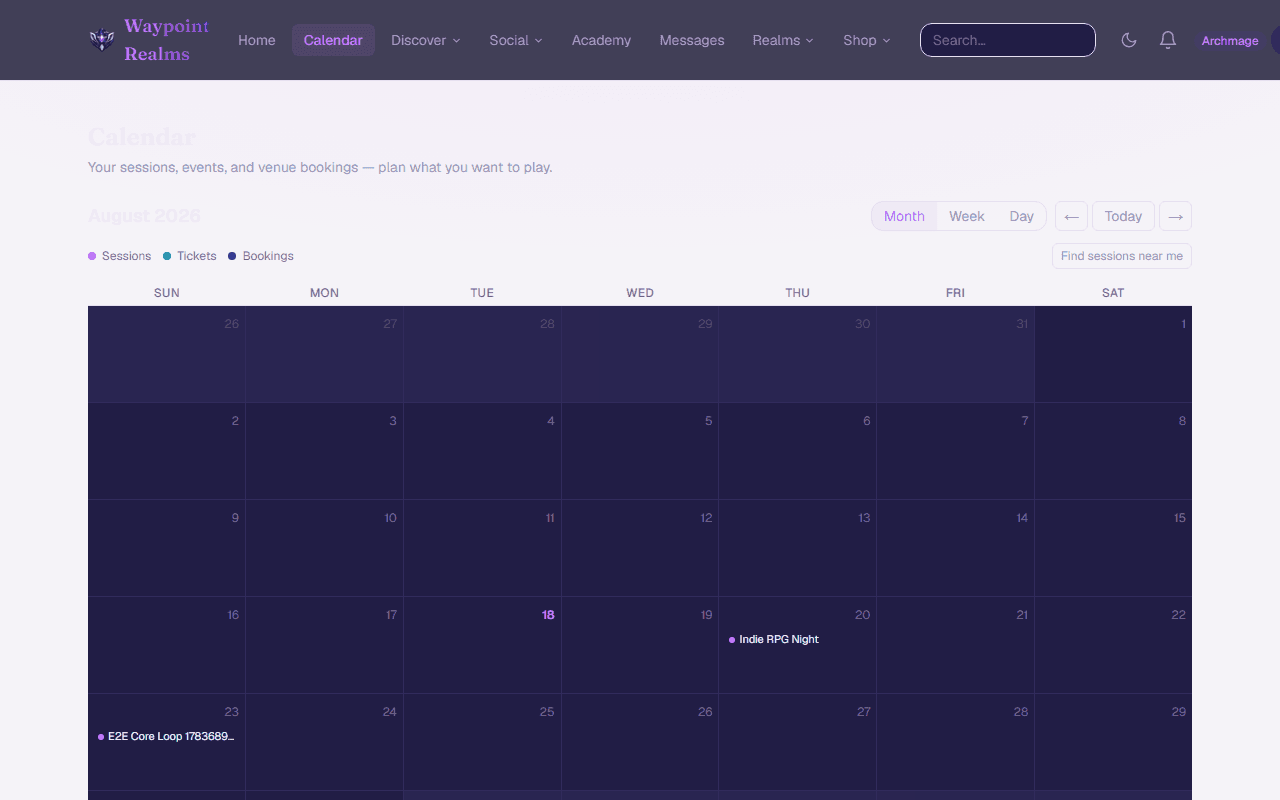
Everything you have committed to, in one month view — sessions, event tickets and venue bookings.
Your calendar is the answer to “what have I actually agreed to this month?” — pulled together from every part of the product rather than typed in twice.
What appears
- Sessions you are hosting — anything you organised that has not been cancelled.
- Sessions you are attending — where your RSVP is confirmed. Waitlisted seats do not appear until they are promoted, because they are not yet a commitment.
- Event tickets you hold.
- Venue bookings you made, including ones still pending confirmation.
Times are yours
Everything is shown in your own timezone, taken from your region. A game listed by someone three timezones away appears at the hour it will actually happen for you — which is the whole reason the calendar exists rather than a list of raw times.
Adding one to your own calendar
Individual sessions have an Add to calendar button that hands your phone or laptop a normal calendar entry, so it sits alongside the rest of your life with a reminder. That is per-session rather than a whole-account subscription.
If something is missing
- A session you are only interested in is not a commitment and will not show. RSVP to see it.
- A cancelled session disappears rather than showing as cancelled — check your notifications for why.
- Partners see a second calendar in the Hub with their venue's bookings and blocked-out time; this one is your personal commitments.
Still stuck? Browse all help or contact us. To report someone or something, use the report action on the relevant profile, post, or session — it sends us the context automatically.