Notifications & preferences
See what Waypoint Realms notifies you about, and choose what reaches you in-app and by email.
MembersUpdated July 2, 2026
The bell in the header collects everything that needs your attention. Open notifications to see the full list; unread items are highlighted.
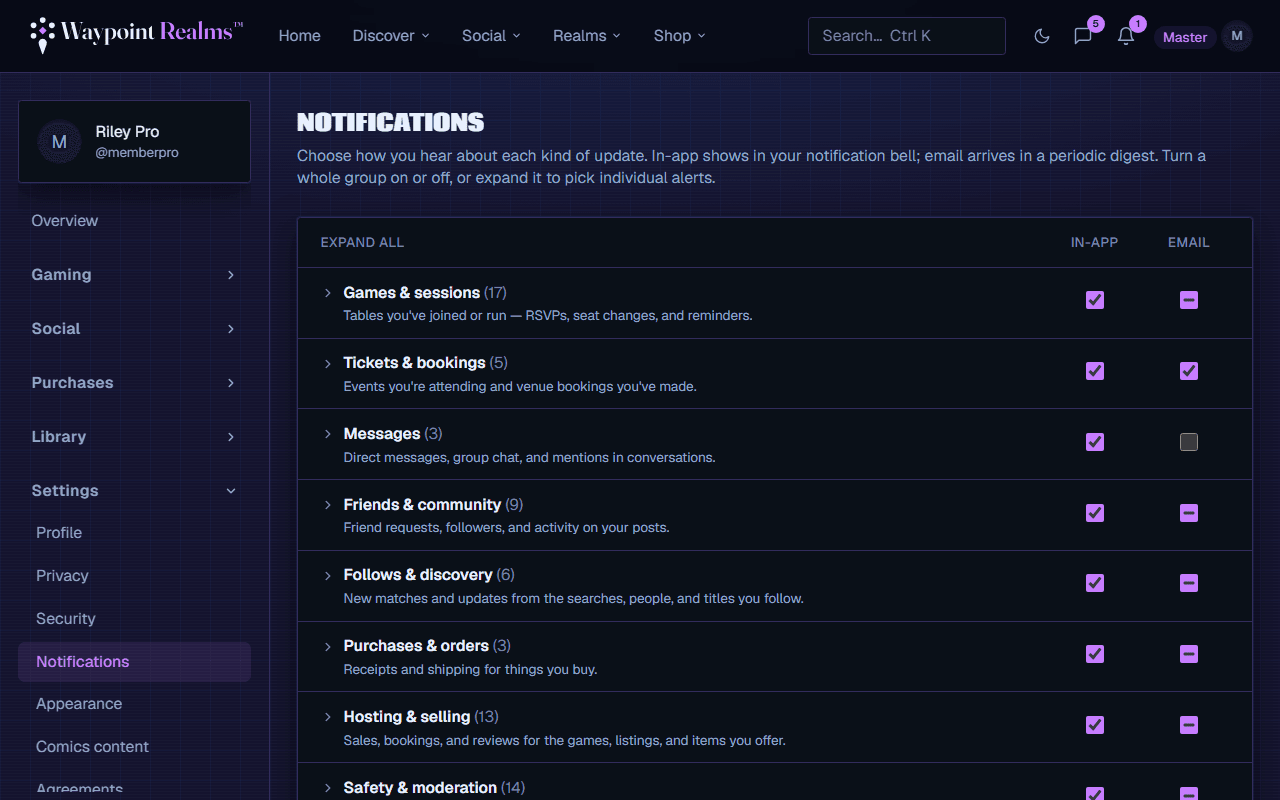
What you'll be notified about
- RSVPs & waitlists — confirmations and when a seat opens for you.
- Session updates — changes or cancellations to a game you're in.
- Connections — new requests and acceptances.
- Reviews — feedback on sessions you hosted.
- Requests to play — when a game you requested or marked interest in gets scheduled.
- Saved searches — new matches for searches you saved.
- Session reminders — before a game you signed up for, if you asked for one.
Choosing what reaches you
Go to notification settings to turn each type on or off per channel — in-app and email. Turn down the noise without missing the things that matter to you.
Push notifications
Enable push notifications on the same settings page to get alerts on your phone or desktop even when Waypoint Realms isn't open. See install the app & turn on push — on iPhone, install Waypoint Realms to your home screen first.
Session reminders are set per session
These settings are the default for everything Waypoint Realms sends. A session reminder is chosen on the session itself when you RSVP — how far ahead you want it, and which of the three channels carry it — and that choice wins for that session. See find & join a session.
Email digests
Some notifications can arrive as a periodic email digest instead of one message at a time — a good middle ground if you want a summary rather than every ping.
Some alerts always show in-app
Time-sensitive items (like a waitlist promotion) always appear in the bell so you never miss your seat, even if you've turned their emails off.
Still stuck? Browse all help or contact us. To report someone or something, use the report action on the relevant profile, post, or session — it sends us the context automatically.