Realm looks
Dress Waypoint Realms in Default or any Realm's look — TTRPG, Board Games, Comics or Anime. Every look is free, and each Realm always wears its own.
A look dresses every page outside the Realms — your home, the feed, sessions, messages, your profile — in a Realm's colours, type and cards. Pick one in your appearance settings.
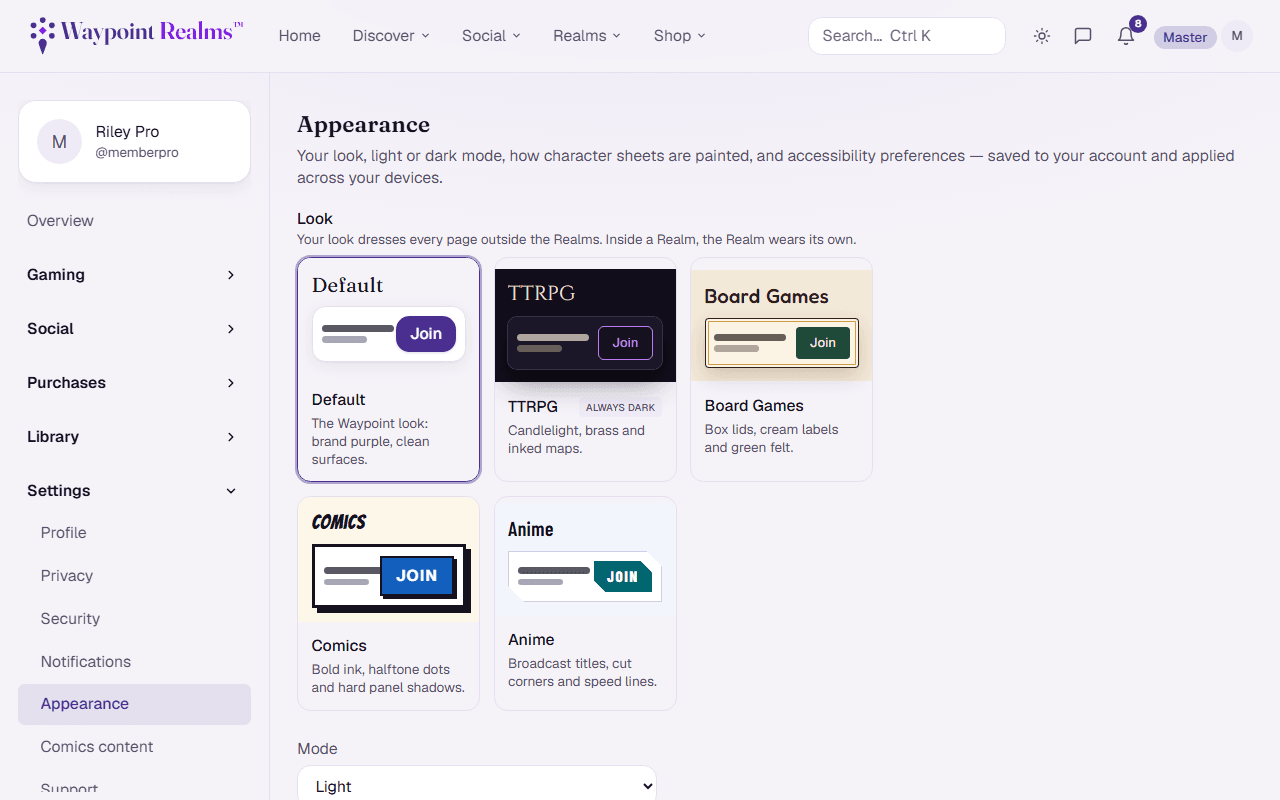
Choosing a look
- Default — the Waypoint Realms look everyone starts with.
- A Realm's look — TTRPG, Board Games, Comics or Anime. More Realms add their look as their design ships.
Every look is free. You can also pick one from inside a Realm: its hub has a Wear this look button.
Inside a Realm
A Realm always wears its own look, whatever you've picked — the Comics Realm stays Comics even if your look is Board Games. Its masthead, background and sidebar stay in the Realm too, so you can always tell when you've stepped inside one. A Realm whose look isn't ready yet shows Default.
Light, dark and accessibility
Looks follow your light or dark mode, except TTRPG, which is always dark. Text size, reduced motion and high contrast work with every look.
Community pages only
Were you on Fantasy, Cyberpunk or Future?
Still stuck? Browse all help or contact us. To report someone or something, use the report action on the relevant profile, post, or session — it sends us the context automatically.