
Build Tutorials: how-to videos
A library of cosplay how-to videos submitted by members and reviewed by staff, filtered by topic, difficulty and search — armour, EVA foam, 3D printing, sewing, wigs, paint, makeup and electronics.
Build Tutorials is a library of how-to videos for cosplay builds, submitted by members and reviewed by staff. It exists because the hard part of learning a technique is rarely finding a video — it is finding the right one for the material you are actually holding.
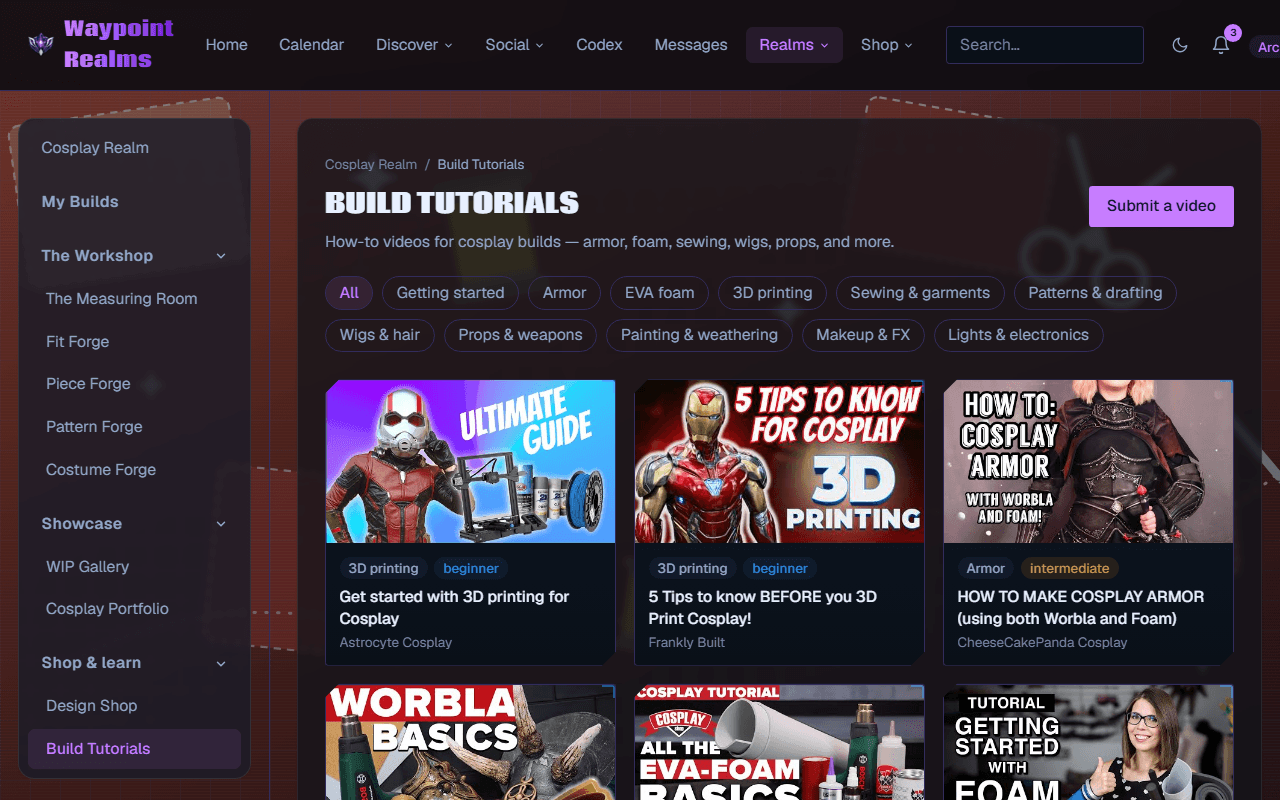
Finding the right one
- By topic — Getting started, Armor, EVA foam, 3D printing, Sewing & garments, Patterns & drafting, Wigs & hair, Props & weapons, Painting & weathering, Makeup & FX, Lights & electronics.
- By skill — what a video teaches: EVA foam, armour, sewing, wigs, props, LEDs & electronics, 3D printing or paint. A video can teach several. There's no skill row to tap on the page: pieces on a build and the Workshop's tools link here filtered to their skills — Tutorials that teach … — and Show every skill lifts the filter.
- By difficulty — beginner, intermediate or advanced, so a first foam build does not open with a five-axis CNC. A level is optional, so a video without one shows only under Any level.
- By search — the search box matches titles and descriptions, and tags whole: worbla finds the videos tagged worbla. Staff add the tags, and cards show up to four. Topic, difficulty and search combine, and each filtered view has its own link to share.
Learning paths
Learning paths put tutorials in an order to take them in — say, EVA foam armour from first cut to finished piece. Open a path to see its tutorials numbered, how many you have done, and what's next. Tick Done beside each one as you go, or I've done this one under the video; a tutorial's page also says which step it is in which path. A tick belongs to the tutorial, so one you have done counts in every path that has it. Your ticks are yours alone. Staff put the paths together from the library.
Live build-alongs
A build-along is a member building something live — on Twitch, YouTube Live or anywhere with a link — while others build along. The ones coming up are listed at the top of Build Tutorials with when, who's hosting, what it teaches and where to watch. RSVP on its session page and it goes on your calendar like any session you join.
To run one, use Host a build-along: a title, a time, how long, what it teaches, how many seats (1 to 64), where to watch and what you'll build. It is an online session, always free, and its page says where to watch. Once it has run, submit the recording as a tutorial and link it under Your build-alongs on My submissions; when it is published, its page says it was recorded live.
Submitting one
Submit a tutorial adds a YouTube or Vimeo link to the library. The title and thumbnail are fetched for you, and the creator is named from the video's channel. Choose its Category, and a Skill level (optional) if you know it. Tick What it teaches (optional) so the video shows on build pieces that take those skills; left blank, it takes its topic when the topic is a skill. A title of your own and a line on why it is useful are optional. Only share videos you have the right to link.
An admin reviews every submission before it appears, and you get a notification either way. My submissions lists everything you have sent and where it stands: Draft, Waiting for review, Published or Not accepted — with the reason after Why:. A video that was not accepted can be fixed and sent back with Edit and send it back ›. It keeps the skills it was first sent with: ticking others when you send it back doesn't change them.
If a published tutorial is not what it claims to be, or should not be here, use Report this video under the player.
Was this helpful?