Your feed & posts
Post to your network, read your feed, and follow topics — all from the Feeds page.
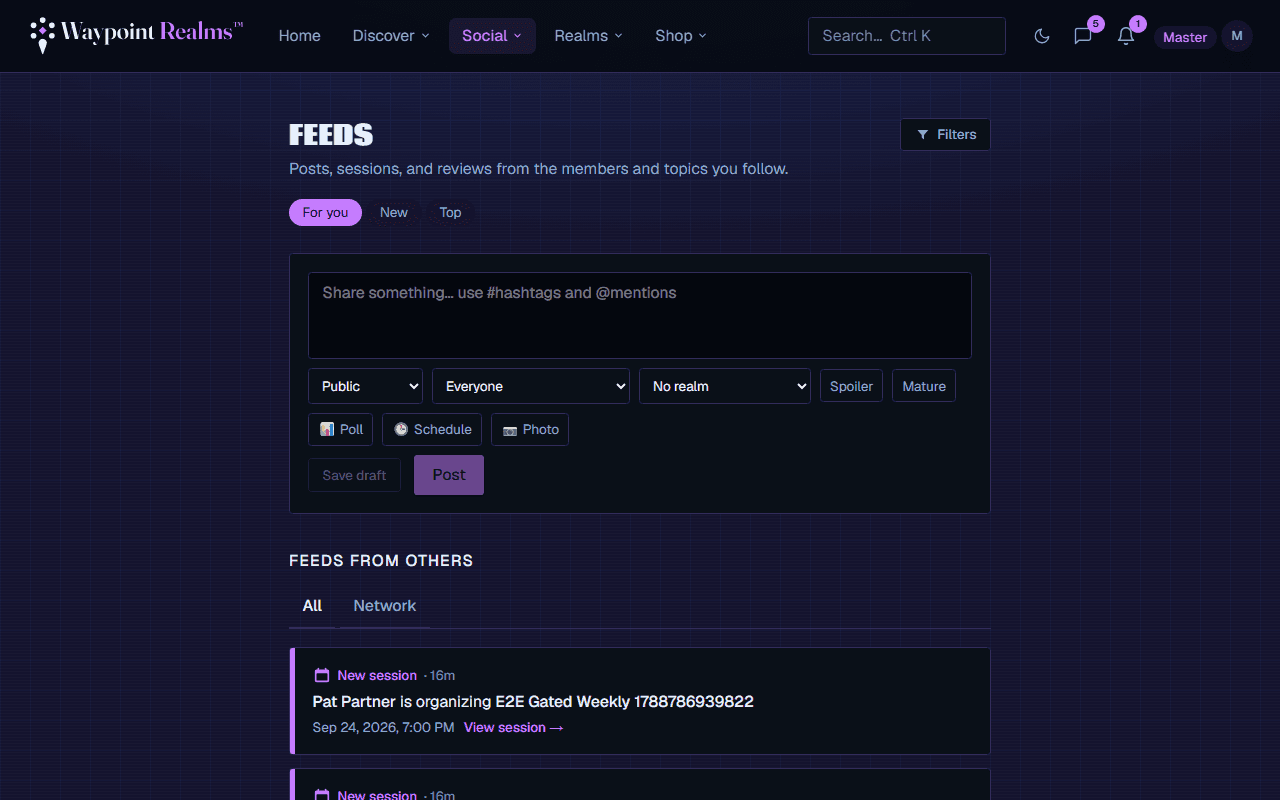
Your Feeds page (under Social ▾ → Feeds) is where you share updates and keep up with your network. It has three parts: a composer to post, the feeds from others, and your posts.
Writing a post
Write something
Use the composer at the top of the Feeds page. Posts can be up to 2,000 characters.Choose who sees it
Pick Public (anyone) or Friends only (just your accepted connections).Post
Your post appears in the feeds of everyone who follows you plus your friends — and on your profile. A Public post also reaches other members, below the posts from their own network.
Feeds from others
Switch between tabs to control what you see:
- Network — posts, new sessions, and reviews from the people you follow or are connected with.
- All (the default) — what's new from your network in the past three days comes first. When you're caught up, you'll see a You're all caught up marker, and public posts from across Waypoint follow. Use See older activity on the marker to go further back in your network.
Follow to fill your feed
External stories are paused
Reactions & comments
Every post can be reacted to and commented on. Open a post's comments to reply; the author is notified of reactions and comments.
Managing your posts
The Your posts section on the Feeds page lists everything you've published. Use Edit to fix a post (it's marked as edited) or Delete to remove it — deleting also removes its comments and reactions.
Community standards apply
Still stuck? Browse all help or contact us. To report someone or something, use the report action on the relevant profile, post, or session — it sends us the context automatically.