
For EveryoneUpdated Oct 12, 20261 min read
LARP factions
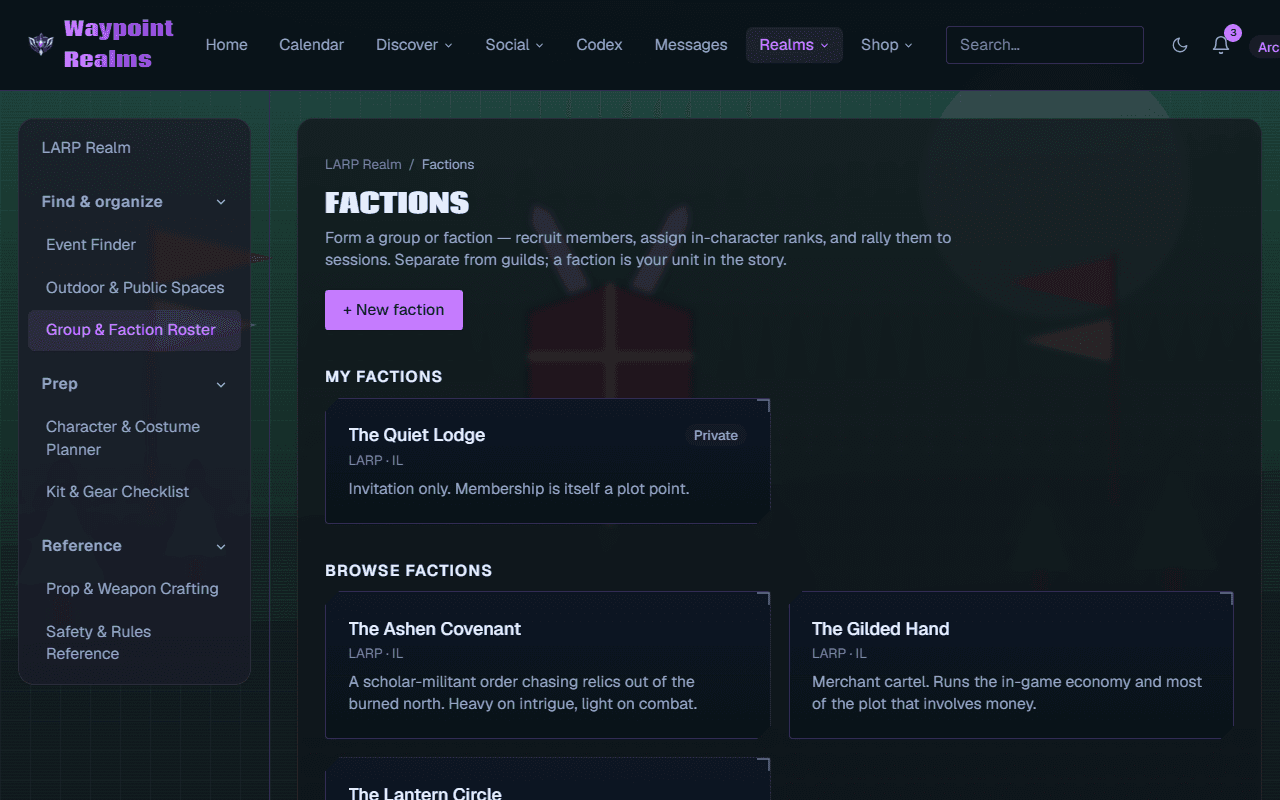
Form a faction, take join requests, name officers and record in-character ranks — and rally the roster to the sessions you run.
On this page
A faction is your unit in the story — the warband, order or cartel your character belongs to. It is the LARP Realm's answer to “who am I with?”, and it is deliberately separate from a circle.
Faction or circle?
They look similar and do different jobs:
- A circle is an out-of-character community — forums, events, a shared calendar, the people you organise with.
- A faction is in-character. Its ranks mean something in the story, and belonging to it can itself be a plot point.
Plenty of groups have both: a circle for organising the weekend and two rival factions inside it for the weekend itself.
Running a faction
- Recruit — anyone can find a public faction and press Request to join; officers approve requests on the Recruits tab.
- Officers — the leader promotes members to officers, who can approve, promote and remove too.
- Characters and ranks — each member records an in-character name; officers and the leader record their rank.
- Call to muster — rally the whole roster to a LARP session you organise, then see who's going.
Step by step
- Start, join and run a LARP faction.
- Call your faction to muster for a session.
- Looking for somewhere to play? Outdoor & public spaces.
Was this helpful?