Appearance & accessibility
Pick a look and light or dark mode, scale text, reduce motion, and turn on high contrast — synced across devices.
EveryoneUpdated September 17, 2026
Tune how Waypoint Realms looks and feels under Profile → Appearance. Your choices are saved to your account and follow you across devices.
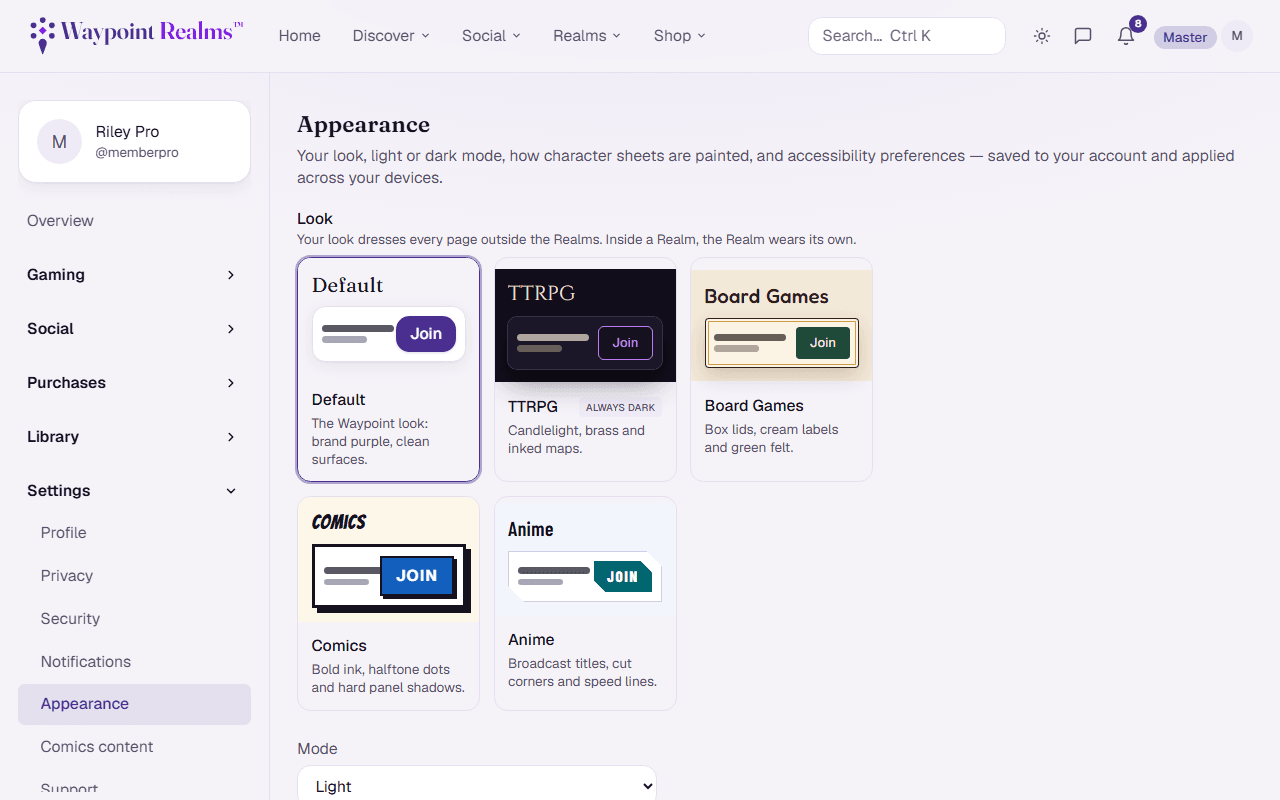
Look
Choose Default or any Realm's look — TTRPG, Board Games, Comics or Anime — for the Community pages outside the Realms. Every look is free, and each Realm always wears its own. See Realm looks.
Mode
- Light, Dark, or System (matches your device) — available to everyone. The TTRPG look is always dark; your mode still applies to pages outside the Community.
Accessibility
- Text size — scale the interface up for easier reading.
- Reduce motion — minimize animations and transitions.
- High contrast — strengthen text and borders.
Note
Looks and modes apply instantly as you select them, with no flash of the wrong mode on reload. Reduce-motion also respects your operating system's setting automatically.
Still stuck? Browse all help or contact us. To report someone or something, use the report action on the relevant profile, post, or session — it sends us the context automatically.