Searching Waypoint Realms
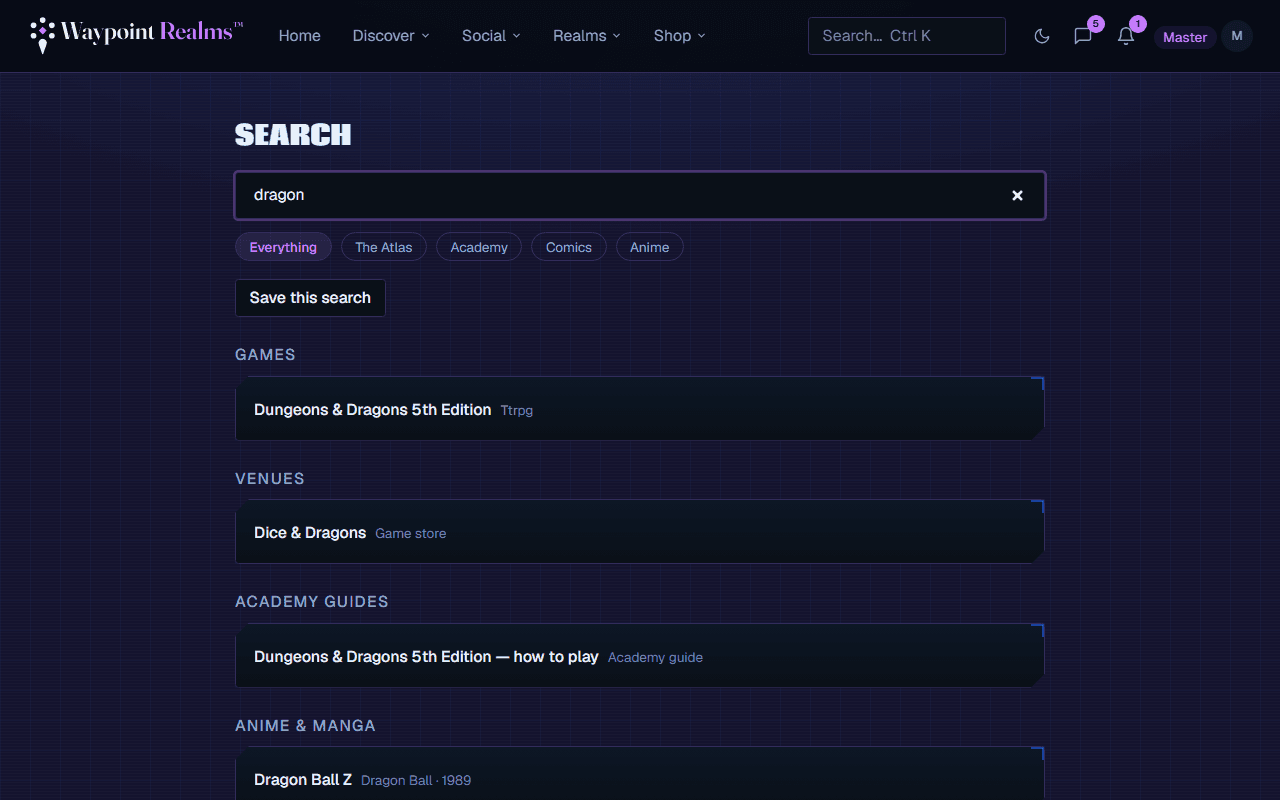
One search box across sessions, games, circles, venues, members, the Atlas, the bestiary and this help centre.
Search looks across the whole product at once and groups what it finds, so you do not have to know which section a thing lives in before you can look for it.
What it covers
- Sessions and games — what to play and where.
- Circles, venues and members — who to play with.
- Everything in the Atlas — Academy guides, comics publishers, series and entries, and anime titles, characters and studios.
- Bestiary monsters, cosplay tutorials, LARP factions and outdoor spaces.
- This help centre.
How results are grouped
Results come back in sections with a few from each, rather than fifty sessions burying the one circle you were after. Type at least two characters; partial words work, so “pathf” finds Pathfinder.
Narrowing to one area
The chips above the results set the scope: everything, the whole Atlas, or one collection inside it. Narrowing does not just hide the other sections — it goes deeper into the one you kept, so you get a longer list of the thing you were actually after. Searching from the Atlas landing starts you scoped to the Atlas; the chips are how you widen back out.
You only see what you are allowed to see
When search is the wrong tool
- Looking for a game near you on a particular night — use the filters on Discover, or the map.
- Wanting to be told when something appears — save the search instead, see saved searches and alerts.
- Browsing a subject rather than hunting one — the Atlas and the Workbench are built for that.
Still stuck? Browse all help or contact us. To report someone or something, use the report action on the relevant profile, post, or session — it sends us the context automatically.