Your data, and closing your account
Download everything we hold about you, see what you have agreed to, and delete your account for good.
Your account is yours. You can take a copy of everything in it, and you can end it — without emailing anyone or waiting on a support queue.
Downloading your data
Account → Export my data builds a file containing what we hold: your profile, sessions you hosted and attended, messages, posts and comments, the circles you belong to, forum threads and replies you wrote (including in circles you have since left), campaigns, circle events you created or answered, characters, shelves, orders, and the settings you have chosen. It is a machine-readable export, so it is also what you would hand to another service.
Running a circle? Its Circle Lead can also download the circle's own record — see Circles explained.
What you have agreed to
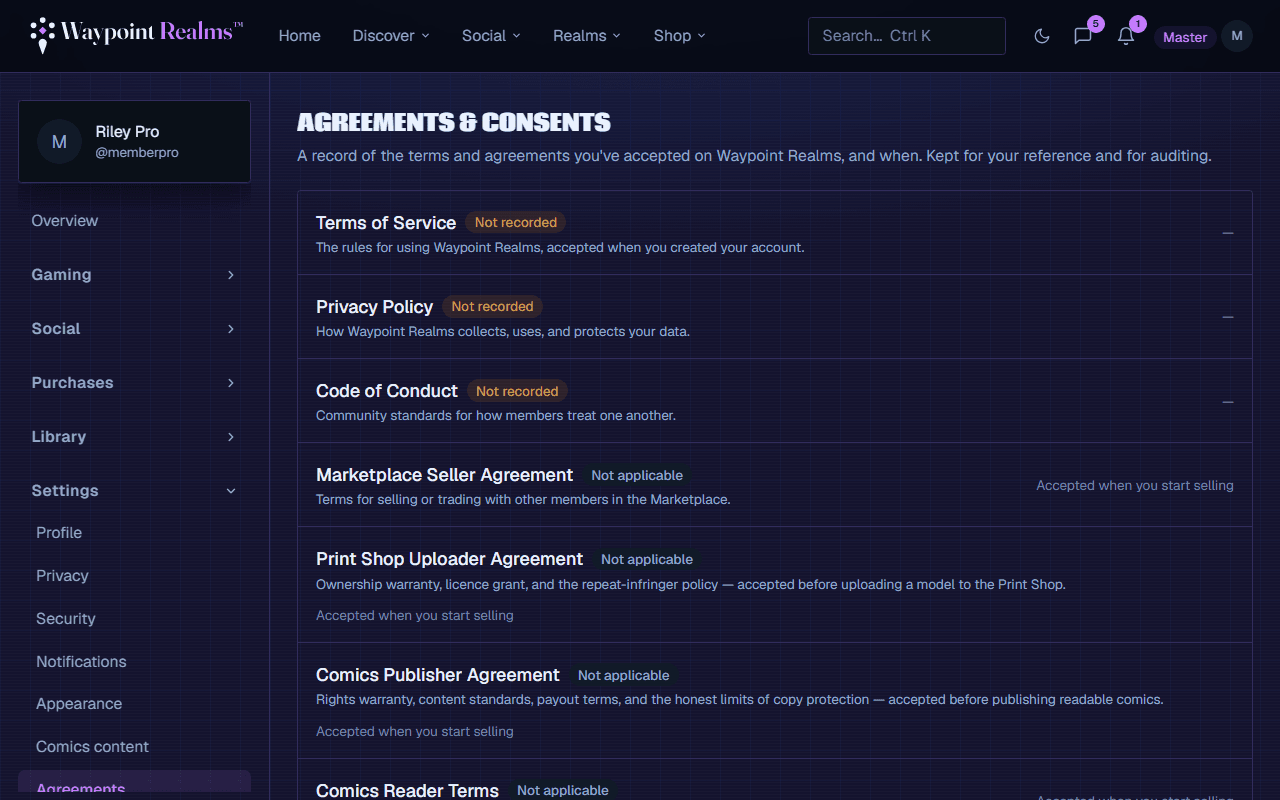
Agreements lists every document you have accepted — terms, privacy policy, code of conduct, and the marketplace seller terms if you sell — with the version and the date. When one changes materially you are asked again rather than silently re-bound.
Deleting your account
Read what goes
Your profile, characters, posts, messages you sent, shelves, uploads and settings are deleted.Understand what stays
Some things survive because they are not only yours — see below.Confirm
Account → Delete my account. You will be asked to confirm. It is not reversible and there is no grace period.
Export first
What survives deletion, and why
- Sessions other people attended. A game night twelve people came to is their history too. The session survives with the organiser shown as a removed account.
- Orders and payouts. Financial records have to be kept for tax and accounting, by law, for a fixed period.
- Moderation records. If your account was actioned, that record is kept — otherwise deleting and re-registering would be a way around it.
- Things you gave to a shared space — a circle you founded, a atlas entry you wrote — stay, unattributed, so the space does not collapse when one person leaves.
In every case what is removed is you: the name, the handle, the contact details, the link back to a person.
Taking a break instead
If the problem is noise rather than the account, you have gentler options: turn notifications down, make your profile private, or block individual members. None of those lose anything.
Still stuck? Browse all help or contact us. To report someone or something, use the report action on the relevant profile, post, or session — it sends us the context automatically.