
The Measuring Room
Take your measurements with a phone camera or a tape, keep them in one place, and see how each was taken and how much to trust it. Every Workshop tool reads from here.
On this page
The Measuring Room is where the Workshop starts. It holds your body's numbers in one place so that scaling a helmet, drafting a bodice or assembling a costume never asks you for them again.
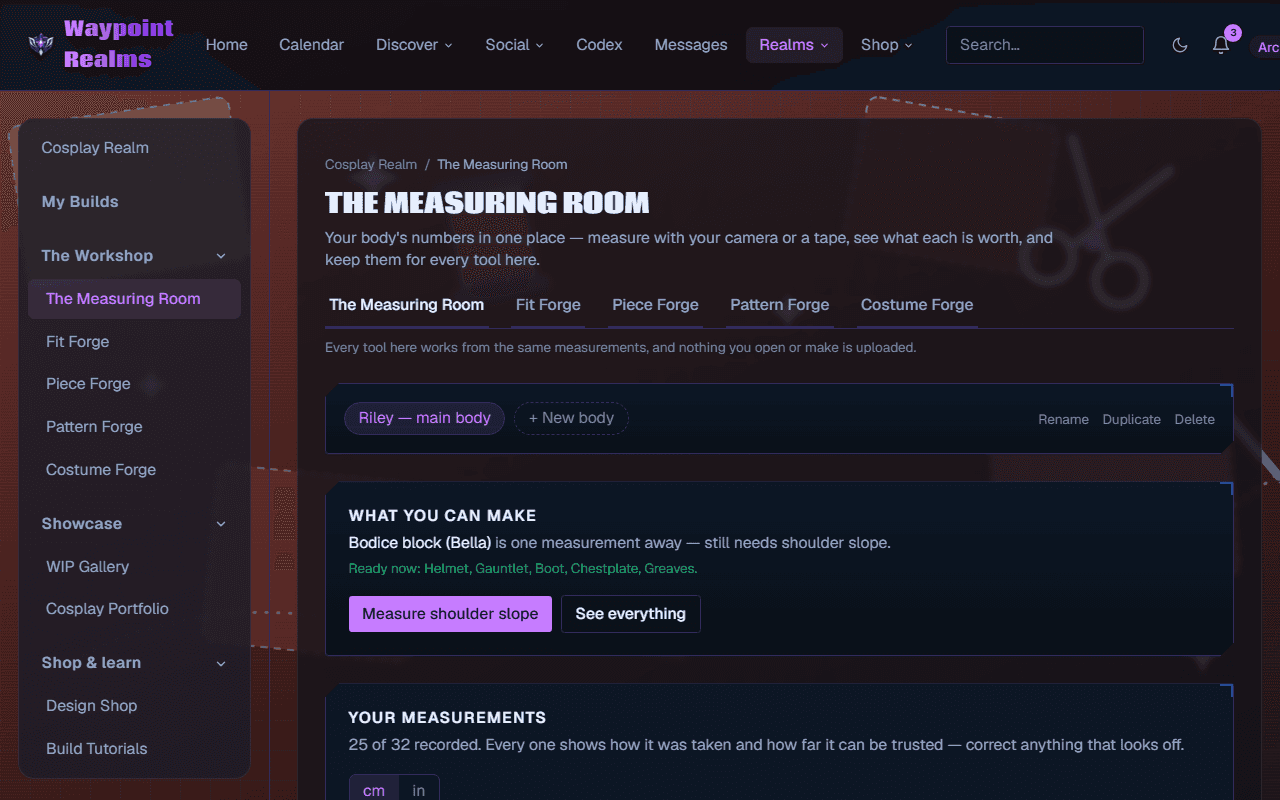
You do not need all of them
There are 38 measurements. Almost nobody needs 38. The room works backwards from what you're making — scaling a helmet needs exactly one, a fitted bodice needs about twelve — and tells you which ones are still missing for the thing in front of you. Measure those; ignore the rest until something asks.
Two ways to measure
With a tape
Type in numbers you already have, or follow the guided walkthrough one part at a time. A tape is not the fallback for when the camera struggles — it is the most accurate option there is, and the room records it as such.See where the tape goes
Every measurement has a picture: where the tape sits and how to stand for it. It shows on each step of the walkthrough and the camera's guide, and under How to measure on each row of your list.With your phone's camera
Photograph one part at a time with something of known size in frame for scale — a bank card is ideal, because every bank card in the world is the same size. Drag a handle onto each of the card's corners (the room often finds them for you), mark the measurement, and the room does the arithmetic. For a circumference you can turn the part slowly in front of the camera instead of taking two photos. Measuring with the camera is for members 18 and over; everything it measures but shoulder slope can be taken with a tape instead.
Numbers show in centimetres or inches — switch with the toggle. Every box takes a plain number in the unit showing. The one exception is Height with inches showing: type it the way you'd say it, such as 5'10", or with its unit (70", 178 cm), and it is read as written.
Measuring on your own
Nobody to hold the phone? Tick I'm on my own — the phone is propped up before you open the camera. Stand the phone up at about the height of the part, a step or two away, and the camera counts down 10 seconds before each shot so you can get into place. The count is on the screen, and on a phone with a flashlight it also blinks once a second so you can follow it from in front of the rear camera. Measuring by turning waits 5 seconds for you to get back into place after the first shot.
For your head and arms you can switch to the front camera and watch yourself. The torso and legs stay on the rear camera for now: the front camera's wider lens hasn't yet been checked against a tape there.
Measuring without an object in frame
A full-length photo has nowhere convenient to hold a bank card. So the room can calibrate you instead: take one close-up shot where it measures your head height against the iris of your eye — an iris is very close to 11.7 mm in every adult. Once your head height is recorded, by the iris or by tape, Your own head can be the scale reference for full-length shots, with no object at all.
Every number carries its own error bar
This is the part worth understanding, because you are going to cut foam against these numbers. Each measurement remembers how it was taken and how much to trust it, and the room shows that next to the value everywhere it appears:
- How it was taken: tape, camera, turn sweep (measured by turning) or entered by hand.
- How far to trust it: ±5 mm, ±1–2 cm or rough — check it. A tape, and any number you type, is ±5 mm. A camera reading starts at what that measurement usually manages; a turn is ±1–2 cm; a circumference taken from one shot, as if round, is rough.
A shot scaled against your eye or your own head, rather than a card or a sheet, drops one tier — ±5 mm becomes ±1–2 cm, and ±1–2 cm becomes rough. It is still useful. It is just not pretending.
You can help the camera get closer. Under Help make the camera more accurate, Share my corrections sends, whenever you replace a camera reading with a tape or typed number, which measurement it was, what the camera said, what you corrected it to, and how the shot was taken — never a picture. Corrections are only ever used as totals across at least ten people, Stop sharing turns it off, and Delete what I've shared removes everything you sent. It is off until you turn it on, and like camera capture it is for members 18 and over.
Measurements go stale
Bodies change. Every number shows how old it is, and after about six months the room starts saying it is getting old — change when under Remind me to re-measure, from 1 to 520 weeks. That is a nudge and never a gate — a stale measurement still pre-fills, still scales a model, still drafts a pattern. Re-measure the ones that matter for what you're building now.
More than one body
You can keep several profiles with + New body — your own plus anyone you build for. Each keeps its own measurements, its own provenance, and its own staleness threshold, and every Workshop tool lets you pick which body it is working from.
Send them to a maker
Commissioning a costume, or making one for someone else? Under Your measurements, Download PDF sheet makes a printable page of the body you have selected: every recorded number with its unit, how it was taken, how far to trust it and when. Download CSV gives the same in a spreadsheet, with millimetres beside each value. Both use the unit you have showing.
The file is made on your device and saved where you choose — nothing is sent to anyone until you send it yourself.
Was this helpful?