Run a quick battle map and share it
Size a grid, drop lettered tokens, hide the map under fog and reveal it as the party explores — with a live link for your players.
Game MastersUpdated October 11, 2026
- ~5 min
- New to it
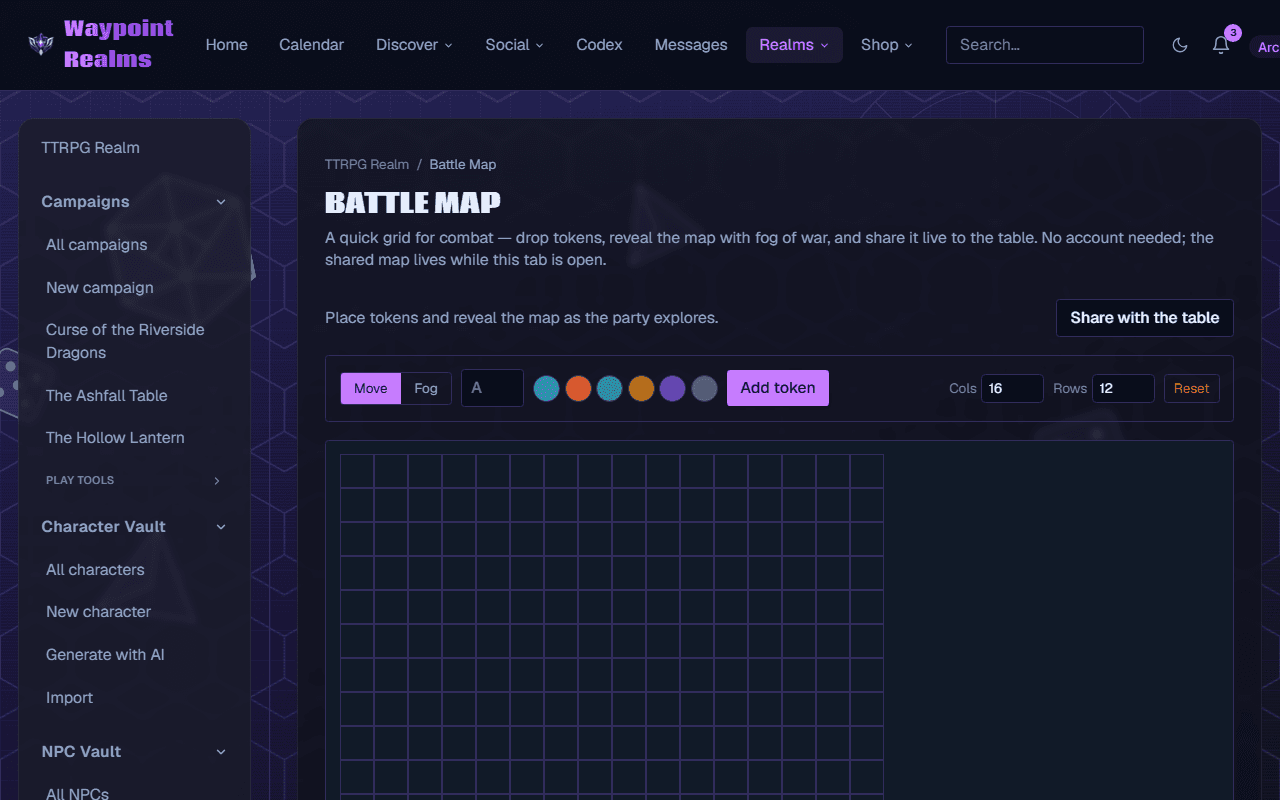
The standalone Battle Map is a quick grid for a fight: tokens, fog of war and a live link for the table. It keeps nothing — the map lives while your tab is open. For a map that stays with a campaign between sessions, use the campaign's own battle map (see campaign tools).
Before you start
- A rough idea of the room: the grid runs from 8 to 30 columns and 6 to 20 rows.
Set up the map
Open the Battle Map
In the TTRPG Realm's rail, choose Battle Maps.Size the grid
Set Cols and Rows. Shrinking the grid drops any token or revealed square that no longer fits.Add tokens
In Move mode, type up to two letters in the token box (A, G1…), pick a colour, and press Add token.Move a token
Click a token to select it, then click an empty square to move it there. With a token selected, Remove “…” takes it off the map.
Hide the map under fog
Switch to Fog
Press Fog, then tick Enable fog. The whole map is covered.Reveal as they explore
Click a square to reveal it; click it again to hide it. Reveal all and Cover all do the whole map at once.Back to moving
Press Move to place and move tokens again. The fog stays as you left it.
Share it
Share with the table
Press Share with the table, then Copy invite link (it reads Link copied ✓) and send it to your players.
Check it worked
Players who open the link see the map read-only, under the fog you set, and every token you move or square you reveal appears for them live.
Players sign in to follow
The shared map is in the TTRPG Realm, so players need to be signed in to Waypoint. It lasts while your tab is open; Reset clears the map and turns fog off.
If something's off
- Clicking squares does nothing to the fog
- Fog only paints when Enable fog is ticked. The hint under the controls says Click cells to reveal/hide once it is.
- A token won't move
- You're in Fog mode: press Move. Tokens can only move onto empty squares.
- The map is gone
- The tab was closed or reloaded. This map isn't saved; for one that is, use the campaign battle map.
Still stuck? Browse all help or contact us. To report someone or something, use the report action on the relevant profile, post, or session — it sends us the context automatically.