Host a watch party, or RSVP to one
Schedule a watch-along for a show and its episodes, cap the spots, put it in a Circle, and RSVP or say you're interested in someone else's.
- ~5 min
- New to it
- Part 1 of 2
A watch party is a time to watch something together and talk about it. The conversation is here; the video is on whichever service streams it, on everyone's own account.
Before you start
- The show in the Atlas, the episodes you'll watch, and a time.
- Optional: a watch-together link — a YouTube, Vimeo or Twitch video plays in sync in the room.
Host one
Open the form
In the Anime Realm's rail, choose Watch Party and press Host a watch party — or press it on a show's Atlas page, or a Circle's page.Pick the show
Under What are you watching?, search the Atlas and pick it. The party name fills in; change it if you like (Party name (e.g. Season 1 marathon)).Say which episodes
Episodes (e.g. Eps 1–3), plus From episode (optional) and To episode (optional). The last episode keeps the replay hidden from anyone who hasn't watched that far.Set the time and spots
When, and Spots (optional, including you) — leave it at No limit, or 2 or more.Add a link and notes (optional)
Watch-together link (optional) and Notes (optional).Put it in a Circle (optional)
Under Circle (optional), pick one of yours, or leave None — open to everyone. A private Circle's party is for its members only.Create
Press Create.
Check it worked
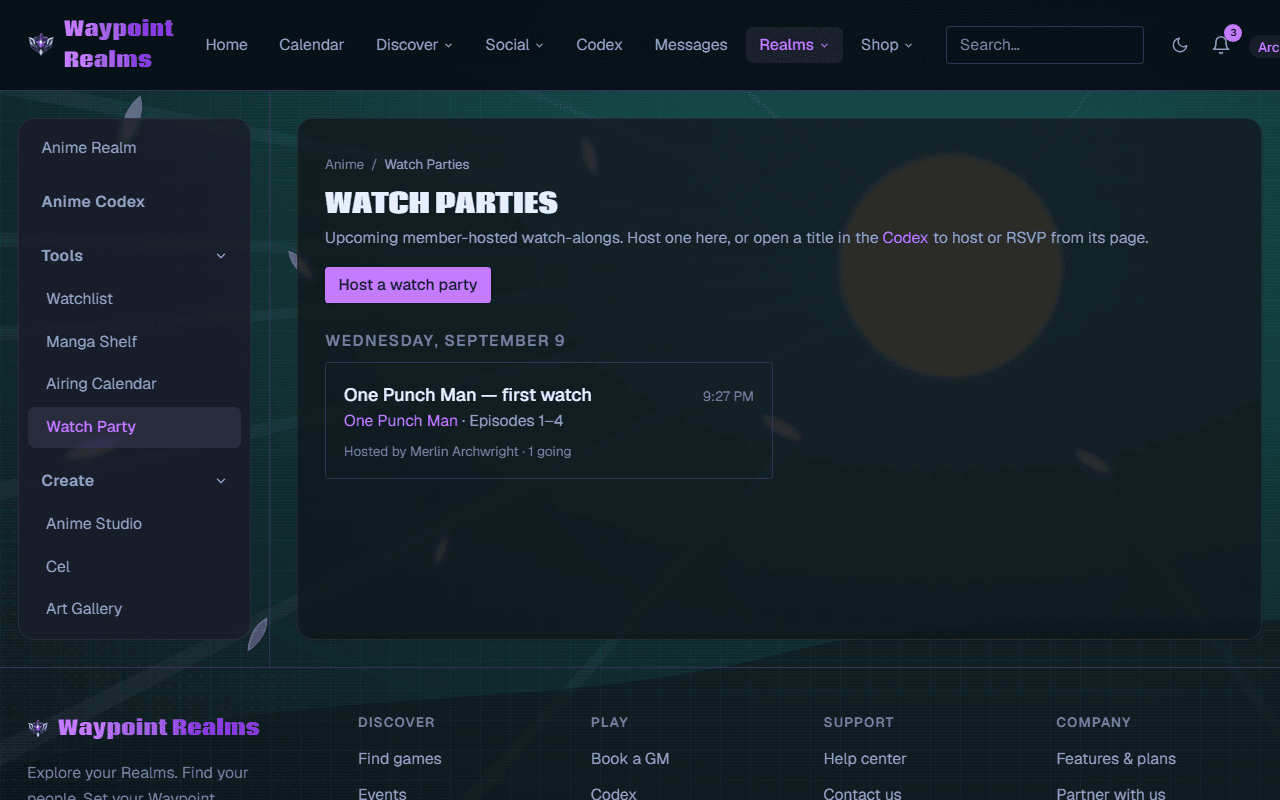
RSVP to one
Open a party and press RSVP if you're going (✓ Going — cancel RSVP takes it back), or Interested if you might be. Only people going get the reminder; both hear if the host moves the time, and an interested party shows on your calendar as a maybe. When it's full it reads Full — no spots left — there's no waitlist, but a spot opens if someone steps back.
Changing or cancelling
Next: in the room.
If something's off
- “Pick a time in the future.”
- The time you chose has passed. Pick a later one.
- “Use whole episode numbers, the first no later than the last.”
- Check From episode isn't after To episode.
- “This watch party is full.”
- Say you're Interested, and RSVP if a spot opens.
- There's no Circle choice in the form
- It shows only if you belong to a Circle. A party's Circle can't be changed after it's made.
Still stuck? Browse all help or contact us. To report someone or something, use the report action on the relevant profile, post, or session — it sends us the context automatically.