Roll dice with the Dice Roller
Build a pool of up to ten dice, from d2 to d100, and roll them in 3D — on its own page or in a side panel over your campaign.
Players & Game MastersUpdated October 11, 2026
- ~2 min
- New to it
The Dice Roller throws real-looking dice for any game. It rolls the dice only: add your modifiers yourself. Inside a campaign, the dice roller in your dock is a different one — it reads modifiers and attacks from your character sheet.
Before you start
- Nothing to set up. It works for every system.
Roll
Open the Dice Roller
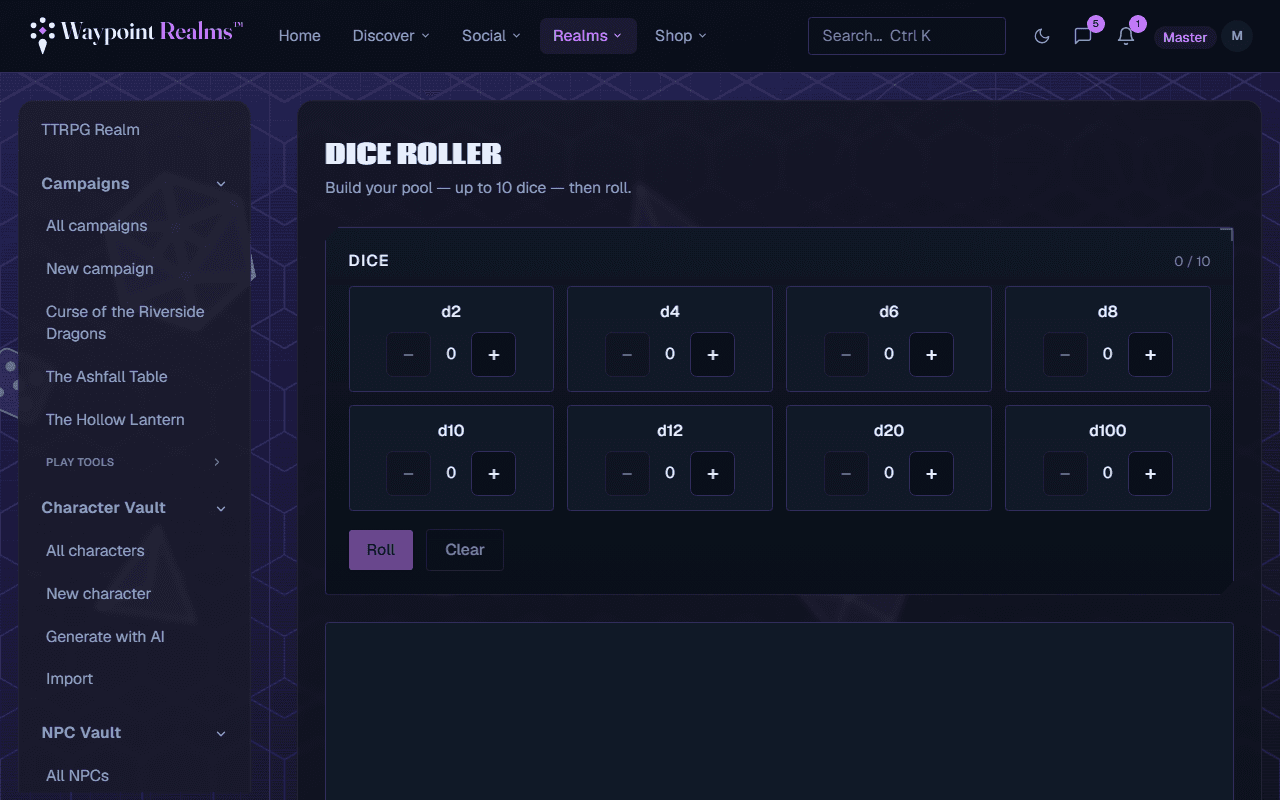
In the TTRPG Realm, choose Dice Roller. In a campaign, open Play tools in the rail and choose Dice Roller: it opens as a panel over the campaign, and Full page → in its header opens the standalone page.Build your pool
Under Dice, press + beside a die to add one and − to take one away: d2, d4, d6, d8, d10, d12, d20 and d100. Up to 10 dice in all.Roll
Press Roll. The dice tumble for a couple of seconds, then the results appear.Read the result
The Total adds every die. Each die's value is listed with its size; on a d20, a natural 20 shows in green and a natural 1 in red.Roll again or start over
Press Roll again for the same pool, or Clear to empty it.
Check it worked
The total and every die's value show under the dice. Add your modifier to the total yourself.
Nothing is saved
Rolls aren't kept or shared. To roll where your table can see it, use the dice roller in your campaign's dock; see campaign tools.
If something's off
- The + buttons stop working
- The pool is full at 10 dice. Take one away, or roll this pool and build the next.
- I need a modifier added
- This roller adds dice only. For rolls that use your sheet's bonuses, link a character to a campaign and roll from your dock there; see play your character.
Still stuck? Browse all help or contact us. To report someone or something, use the report action on the relevant profile, post, or session — it sends us the context automatically.