Get around a Realm
Open a Realm, move between its tools with the left rail, pin favourites to your home page, open TTRPG play tools over a campaign, and find each tool's help.
- ~3 min
- New to it
Every Realm works the same way: a left rail of its tools and a page on the right. Learn it once here and you can find your way around any of the six.
Before you start
- A Waypoint account. Realms are for signed-in members.
Open a Realm and move around it
Open the Realms map
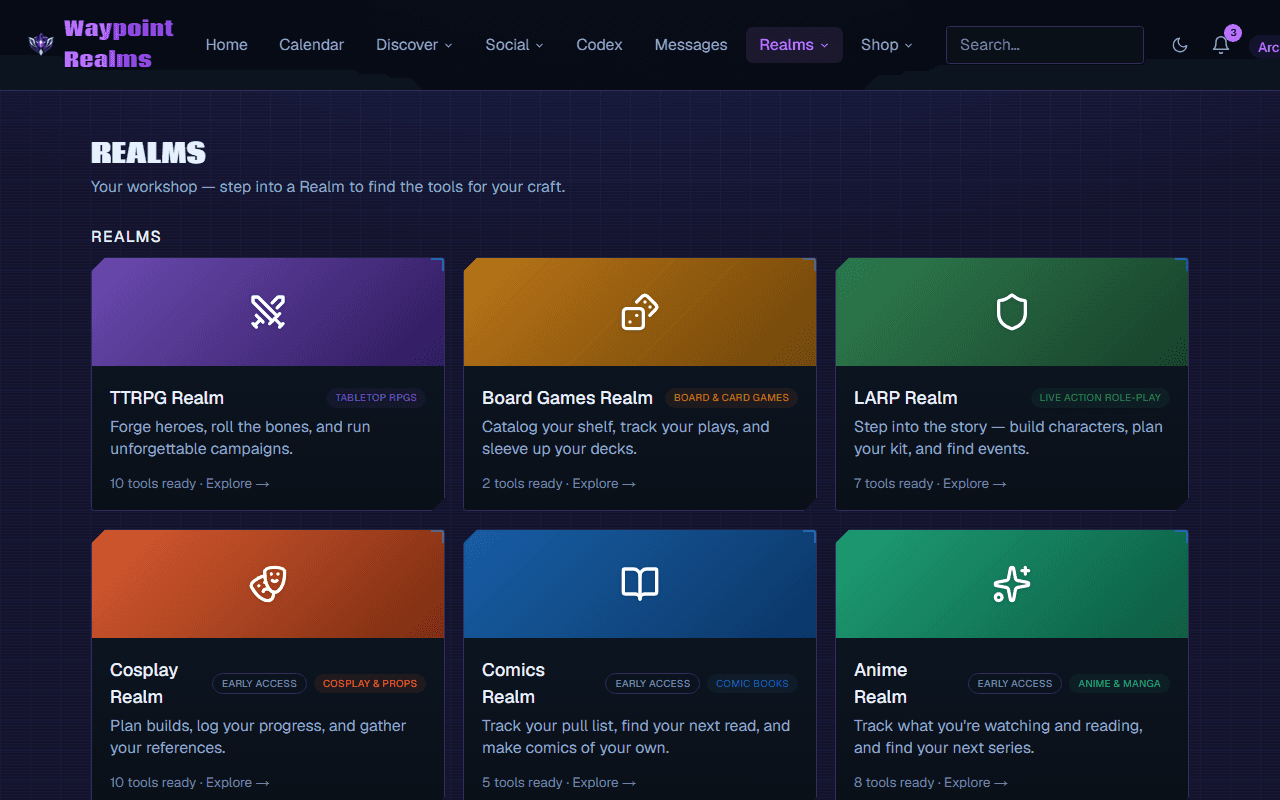
Choose Realms in the top navigation. Each Realm is a waypoint on the map, with when you last visited it.Step into a Realm
Choose one. Its home page shows what it's for and its tools as tiles.Use the left rail
The rail lists the Realm's tools, grouped the way the Realm groups them. A group opens to show its tools; the one you're in stays open and highlighted. The Realm's name at the top takes you back to its home page.On a phone
The rail folds into a button with the Realm's name and a ▾ above the page. Tap it to open the list.
Pin the tools you use most
Star a tool
On a Realm's home page, press the ☆ on a tool's tile. It turns to ★ — Favorited — pinned to your home.Find it on your home page
Starred tools appear under Your Realms on your home page as direct links. Drag them to reorder, or press ✕ to unpin.
Play tools over a campaign (TTRPG)
In the TTRPG Realm, Play tools under Campaigns in the rail — Dice Roller, Initiative Tracker, Bestiary, Encounter Builder, Loot Generator — open as a panel over the page instead of taking you away from your campaign. Full page → in the panel's header opens the tool on its own. See prep a fight in ten minutes.
Find help for the tool you're on
At the foot of the rail, Help: … opens the help for the tool you're using, and Help for this Realm opens every guide for that Realm.
Check it worked
Coming soon
Still stuck? Browse all help or contact us. To report someone or something, use the report action on the relevant profile, post, or session — it sends us the context automatically.