Fit Forge: resizing an STL to your body
Somebody else modelled that helmet on somebody else's head. Upload the STL, pick what it is, and Fit Forge scales it to your measurements in your browser.
Most cosplay STLs on the internet were modelled on the maker's own head, or on nobody in particular. Fit Forge takes one of those files and scales it to your measurements before you spend forty hours of printer time on it.
Using it
Say what the piece is
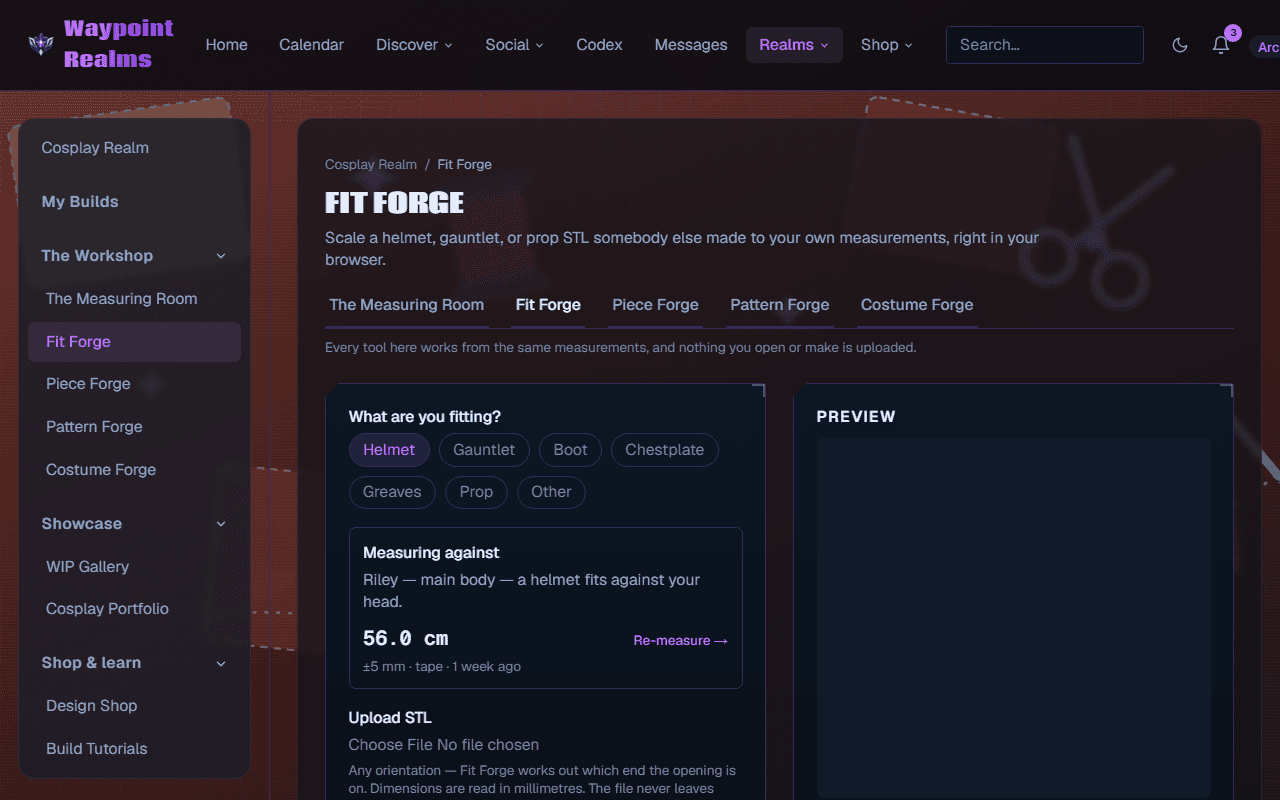
Helmet, gauntlet, boot, chestplate, greaves, prop or other. This is not a label — it is how the forge knows which measurement has to clear. A helmet is fitted against your head circumference, a gauntlet against your forearm, greaves against your calf.Check the body it is measuring against
The panel names the profile it is using and the measurement that piece needs. If that measurement is missing it says not measured and offers to take it — see the Measuring Room.Upload the STL
Any orientation — the forge works out which end the opening is on. Dimensions are read in millimetres.Scale and export
Check the preview, then export the resized file for your slicer.
The file never leaves your browser
Scaling is not the same as fitting
Costing the build
On Adept and Archmage, Fit Forge also prices the piece: it works out material use from the scaled model and produces a bill of materials, so you know what a print costs before you start it. Scaling itself is open to everyone.
If you are making the piece from scratch
Fit Forge resizes a model somebody else made. To model one yourself — and unfold it into foam templates — use Piece Forge instead; see printing foam templates.
Still stuck? Browse all help or contact us. To report someone or something, use the report action on the relevant profile, post, or session — it sends us the context automatically.