
For PlayersUpdated Sep 14, 20262 min read
Find & join a session
Use the map and filters to discover games near you, then RSVP in one tap.
Discover shows upcoming sessions on a map, centered on you. Pins open a session's details so you can see what's being played, where, and how many seats are left.
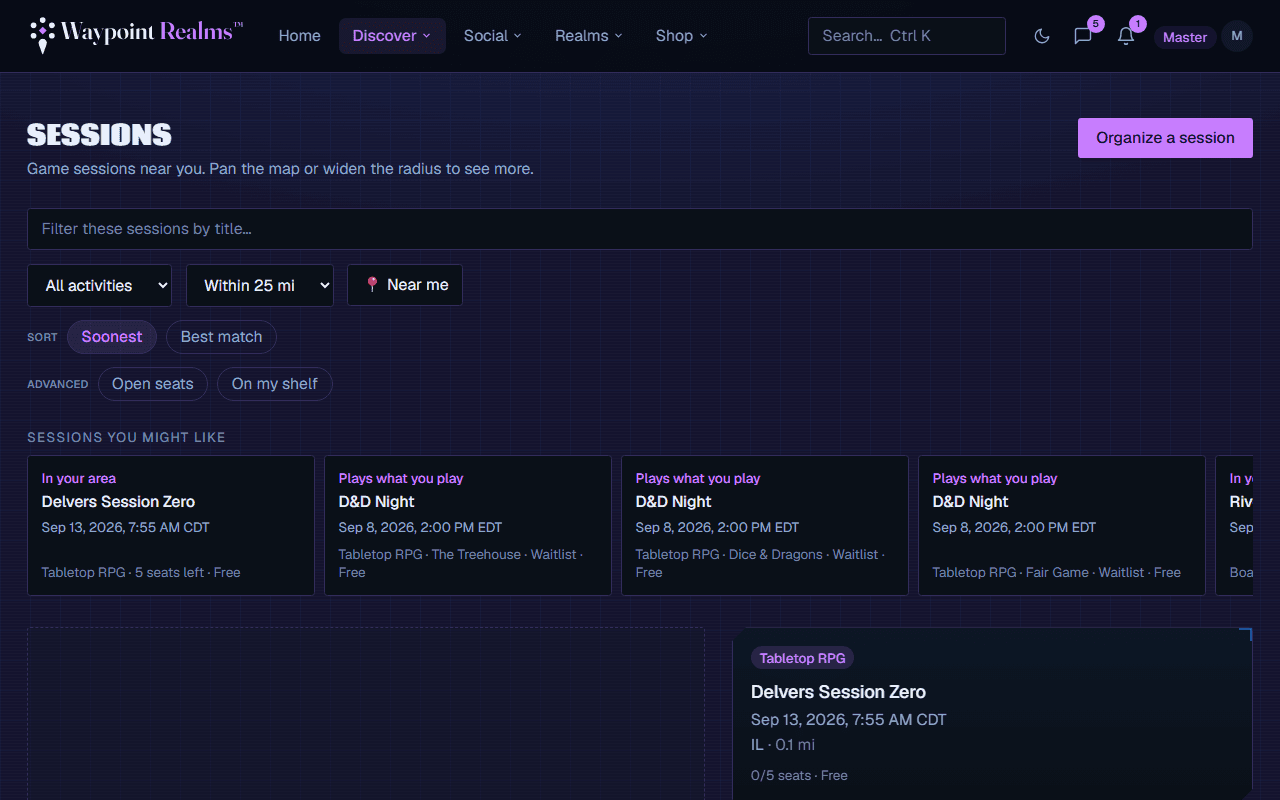
Finding the right game
Open Discover
Go to Discover. Allow location access to center the map on you (you can also browse without it).Filter
Narrow by activity (board game / tabletop RPG) and search radius to match how far you'll travel. You can also filter by a specific game.Open a session
Click a pin or list item to see the description, time, location, host, and live seat count.RSVP
Hit RSVP. If there's room you're confirmed instantly; if it's full you join the waitlist.
Set a reminder
When you RSVP you can ask to be reminded, and say when — anywhere from a week ahead to the moment it starts — and how: in the app, by email, as a notification on your phone, or any combination. Change or clear it any time from the session page.
After you RSVP
- You'll get a confirmation, plus any reminder you asked for.
- It appears under upcoming on your profile.
- Need to drop out? Cancel from the session page so a waitlister can take your seat.
Was this helpful?