
For HostsUpdated Jun 11, 20261 min read
Host your first session
Create a session at a venue or your own table, set the seat count, and manage RSVPs.
On this page
Anyone can host. Hosting is how you get exactly the game you want on the calendar and bring players to it.
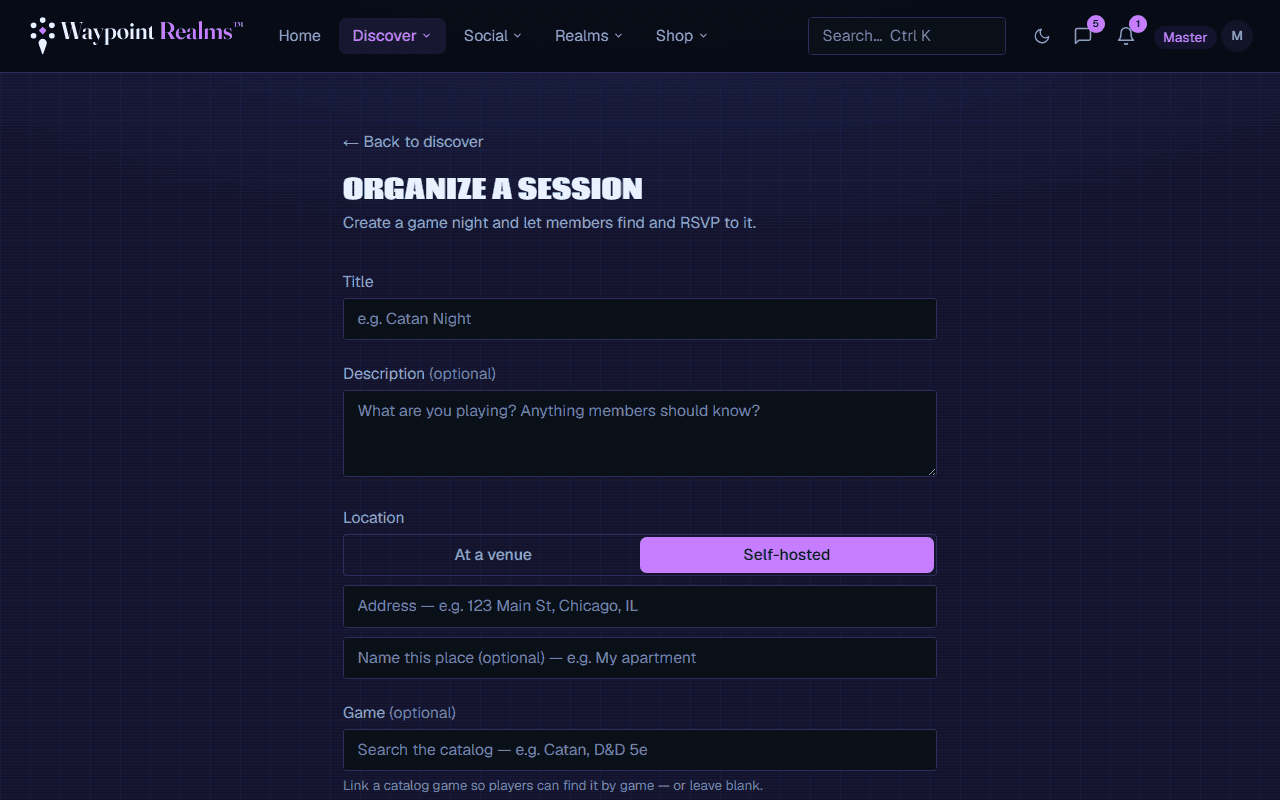
Create a session
Start a new session
Go to Create a session.Describe the game
Set a title, the activity type, a short description (what you're playing, experience level welcome), and the date & time.Pick a location
Choose a venue from the directory, or host at your own table by entering an address — Waypoint Realms geocodes it so it shows on the map. You can save your own places as custom venues for next time.Set the seat count
Your max players sets the cap. RSVPs beyond it go to the waitlist automatically.
Running the session
- Watch your RSVP list fill; the waitlist auto-promotes when someone drops.
- Edit details anytime — confirmed attendees are notified of changes.
- If you need to cancel, attendees are notified automatically.
- After it's done, players can leave reviews that build your organizer score.
Was this helpful?